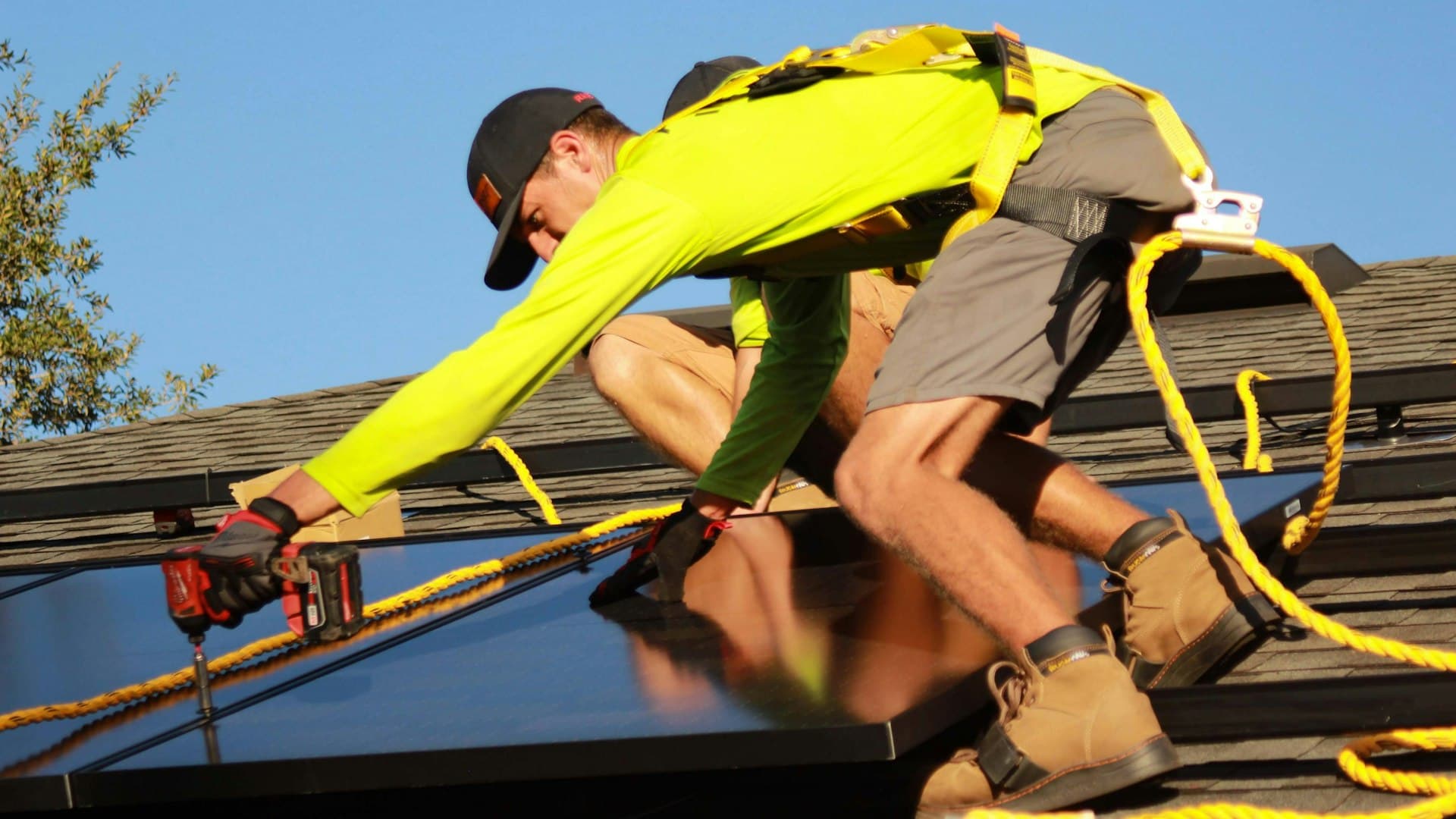
Design Solar Systems & Generate Site Reports in Minutes
From rooftop arrays to ground mount fields — assess any site in photorealistic 3D, scan neighbourhoods for solar leads with built-in CRM, and deliver professional PDF proposals without desktop CAD software.
Without SunTrace3D
Hours spent on manual site design
Desktop CAD tools require importing terrain, modeling roofs, and manually placing each panel — eating hours per project.
No ground mount design tool
Most online solar tools only handle rooftops. Ground mount projects still require expensive engineering software or guesswork.
Generic proposals that don't impress
Flat 2D layouts and spreadsheet numbers don't convey the full picture to clients deciding on a six-figure investment.
With SunTrace3D
One-click system design
Place rooftop panels automatically with the Solar Wizard, or draw ground mount array boundaries on real terrain. Full system layout in under a minute.
Ground mount & rooftop in one tool
Design ground-mounted arrays with configurable tilt, azimuth, GCR spacing, and row orientation — on actual terrain contours. Same tool handles rooftops.
Professional PDF site reports
Generate branded proposals with 3D renders, monthly production charts, financial analysis, shading data, and environmental impact — ready for client presentation.
Solar Panel Placement
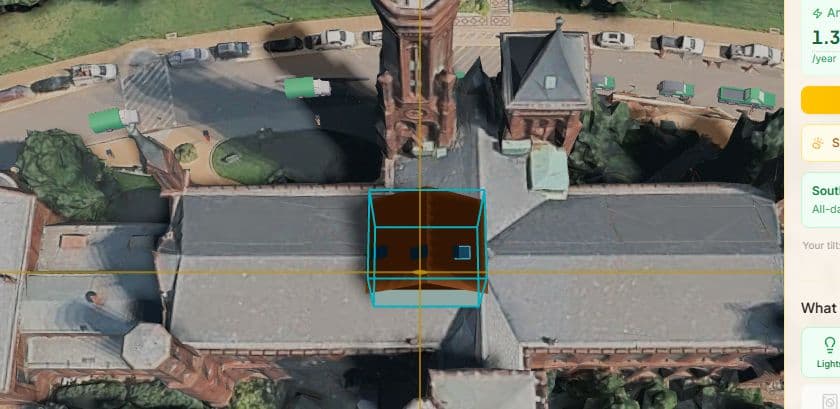
Place individual panels or full arrays on any roof surface. Instantly see per-panel shading analysis with color-coded indicators showing how much sunlight each panel receives.
Ground Mount Array Design
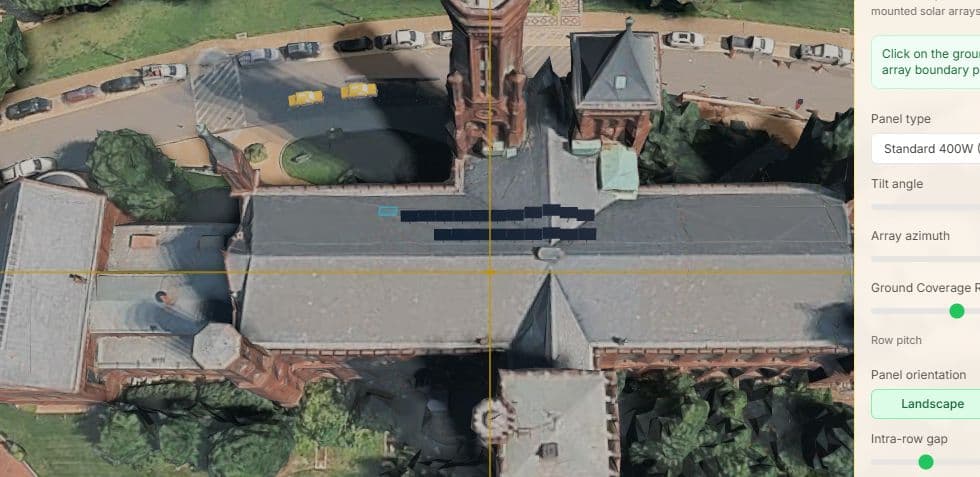
Draw polygon boundaries on real terrain and generate optimized panel rows automatically. Configure tilt, azimuth, ground coverage ratio, and row orientation — panels follow actual terrain contours.
CRM Territory Scanner
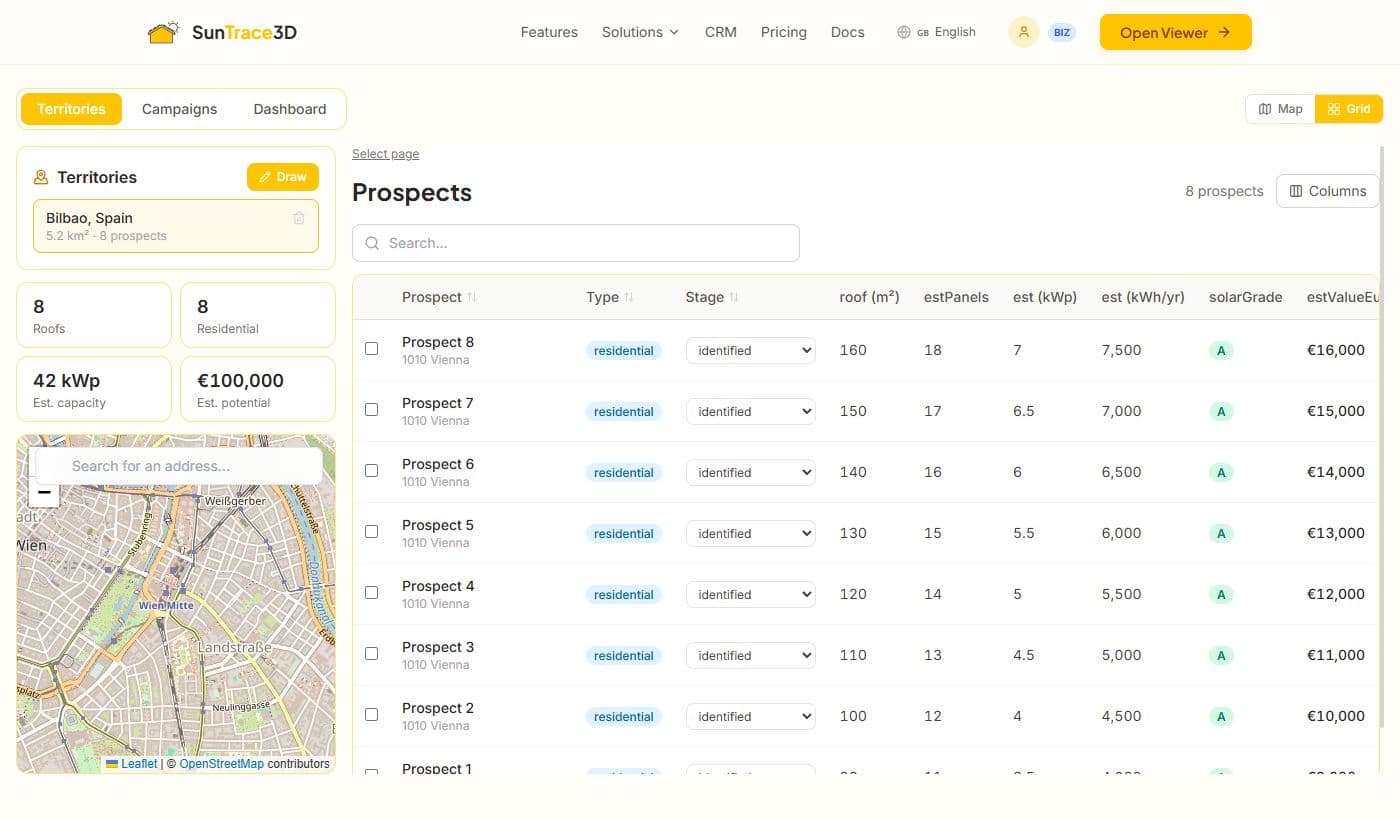
Draw a territory on the map and instantly scan every rooftop for solar potential. The CRM scores and ranks each building, generates prospect lists, and lets you launch outreach campaigns — turning a neighbourhood into a qualified pipeline.

Professional PDF Reports
Generate client-ready solar site reports with 3D renders, system specs, monthly production charts, financial analysis, and environmental impact data.
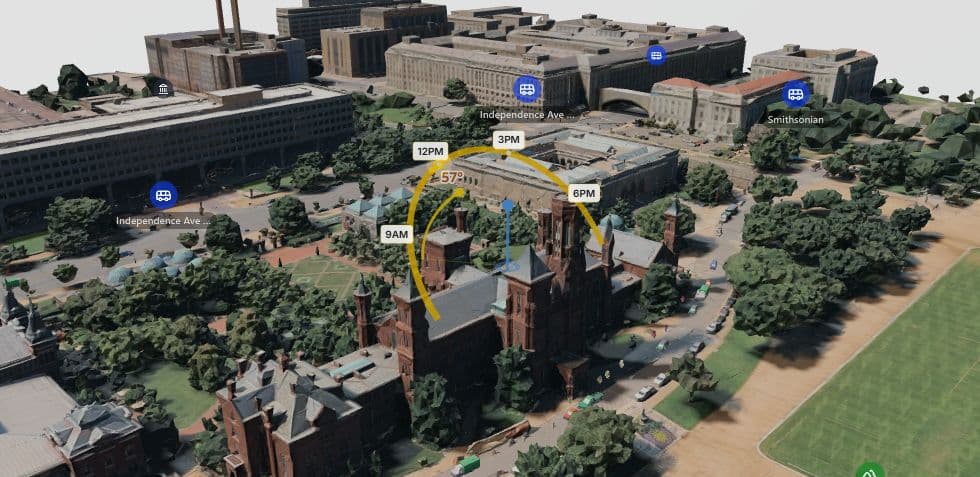
Real-Time Shadow Simulation
Scrub through any hour of any day to see exactly where shadows fall on your property. Watch how sunlight changes from sunrise to sunset across all four seasons.
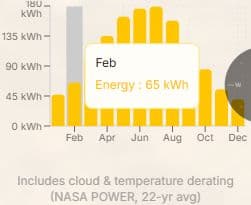
Energy Yield Estimation
Get satellite-backed energy production estimates powered by European Commission irradiance data and NASA climate records. See monthly kWh breakdown for your exact location.

Embeddable 3D Viewer
Add an interactive 3D solar viewer directly to your website with a simple iframe embed. Capture leads with pre-calculated system specs automatically attached.
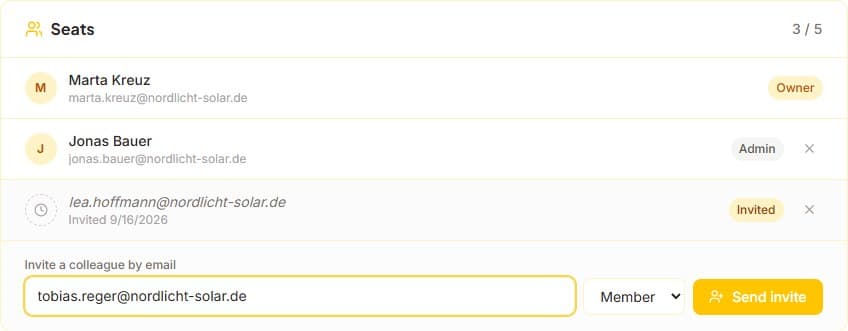
Your whole team, one company account
Designs belong to the company, not to whoever happened to make them. Five seats on Professional, shared projects your colleagues can pick up, and your own logo and colours on every proposal a client sees.
From a scanned roof to a signed contract
Open a prospect straight into the designer, turn the design into a branded proposal, and let the client sign it online. Sending it moves the deal to quoted with its value; the signature moves it to won. Your dashboard reports what actually closed, not only what a territory might be worth.
Built for the German market
EEG feed-in tariffs with real capacity bands, the §12(3) UStG zero rate applied and policed against the 30 kWp threshold, a VDE-AR-N 4105 grid pre-check while the design can still change, the Marktstammdatenregister sheet filled from the project, and Mieterstrom economics for multi-unit buildings. Every figure names its source and its date — and your own rates override ours.
See It in Action
Ground Mount Solar Farm — Full Engineering Walkthrough
Solar CRM Demo: Territory Scanning, 3D Roof Analysis & Direct Mail in 60 Seconds
Your Solar Panels vs This Week's Weather — SunTrace3D Weather Forecast
Your Solar Week, Before It Happens — The Weekly Forecast on Your Phone
How It Works
From address to sunlight analysis in under a minute
Assess the Site in 3D
Enter any address to load a photorealistic 3D model. Inspect the roof, terrain, and surrounding obstacles — no site visit needed for initial assessment.
Design the System
Place rooftop panels with auto-placement or draw ground mount boundaries. Real-time shadow analysis and energy yield update as you design.
Deliver a Professional Report
Generate a PDF site report with 3D visualizations, system specs, monthly production, costs, payback period, and CO₂ offset. White-label with your branding.
Why Switch to SunTrace3D?
Traditional Tools
- €5,000–€10,000/year for desktop design software
- 2–4 hours per site design and proposal
- Separate tools for rooftop vs. ground mount
- Site visit required for initial assessment
SunTrace3D
- €99/month — rooftop and ground mount design included
- Complete system design and PDF report in 10 minutes
- One platform handles both — same workflow, same reports
- Remote 3D assessment with shadow analysis from your desk
Frequently Asked Questions
How does the ground mount design work?
Draw a polygon boundary on the terrain, set your tilt angle, azimuth, and ground coverage ratio. The system automatically generates panel rows following the actual terrain contours with proper spacing.
What's included in the PDF site report?
3D perspective and top-down renders, system specs (panel count, peak kW), monthly production chart, financial analysis (costs, savings, payback), shading loss data, CO₂ offset, and your company branding.
Can I use this for both residential and commercial projects?
Yes. The same tools handle residential rooftops, commercial flat roofs, carport arrays, and open-field ground mount installations. No panel count limits on Business tier.
How accurate is the energy yield calculation?
Calculations use European Commission PVGIS irradiance data and NASA climate records, with per-panel shading analysis across 120 sun positions throughout the year. Temperature derating and system losses are included.
Can I embed a solar calculator on my website for lead capture?
Yes. Add the 3D viewer to your site with a simple iframe. Visitors design their own system and submit as a lead — with panel count, energy yield, and costs pre-attached. Business plan includes unlimited embeds.
Can I brand the reports with my company?
Business tier reports include your company name and contact details. Enterprise tier adds full white-label branding with custom logo, colors, and domain.
How does the CRM territory scanner work?
Draw a polygon on the map to define your target area. The CRM automatically detects every rooftop, estimates solar potential based on roof area and local irradiance, and ranks prospects by score. You can then filter, export, and launch outreach campaigns directly from the platform. Business plan required.
Ready to design your next solar project in 3D?
Start free — no credit card needed